Thursday, 28 July 2016

Lookup Filters field dependency in sales-force

Lookup Filters field dependency in sales-force

EX :  product family is parent.
           product is child.


Thursday, 30 June 2016

Metadata Explorer Tools

Metadata_Explorer Tools


============================================================

 //return new ApexPages.Standardcontroller(attach).view();   

1.Actually the 'Send Apex Warning Emails' settings on the User record only controls whether or not you get Apex warning emails every time that an Apex scrip surpasses more than 50% of any governor limit.

2.Runtime exception messages (which is what the "Developer script execution" emails are about) always get sent to the 'Last Modified By' user of the Apex class that generates the exception. 

3.The only way to disable those emails is to have another user update the Apex class(es) in question. Marking your user record as Inactive in the Org might also work, but I'm not sure.

4.UPDATE: 
This is possible now with the Winter 16 release. Under Setup go to "Apex Exception Email" to specifiy what email(s) you want to receive error messages. Here is an exceprt from the release notes:

================================================================================

Thursday, 10 December 2015

System.abortjob() in salesforce

    Batch and Schedule apex jobs aborting using system.abortJob
abortJob(jobId)
Stops the specified job. The stopped job is still visible in the job queue in the Salesforce user interface.
Signature
System.abortJob(String jobId)
Parameters
jobId
Type: String
The jobId is the ID associated with either AsyncApexJob or CronTrigger.

Ø  We need to execute following code in developer console to abort single job.
         EX :   System.abortJob (003j000000QQHjr”);

Ø  We need to execute following code in console to stop multiple jobs.

Id ids = [SELECT id, name FROM ApexClass WHERE Name = 'AccountUpdate'].id;

List<AsyncApexJob> jobs = [SELECT Id, ApexClassId, Status FROM AsyncApexJob WHERE ApexClassId =: ids AND Status IN ('holding','Queued','Preparing')];
System. Debug ('jobsjobsjobsjobsjobs ‘+jobs);
For (AsyncApexJob job: jobs) {
    System.abortJob (job. ID);

}


    =============================================================

Tuesday, 11 August 2015

Generate Xml file in class

Generating XML file in Salesforce…………………………..

Ø  We need start class with global keyword

Ø  XmlStreamWriter Class
The XmlStreamWriter class provides methods for writing XML data.

For more information:


class:

@Restresource(urlmapping = '/accounts/*')
Global class GenerateaccountXML {
   
    webservice static string generatexml(){
        xmlstreamwriter x = new xmlstreamwriter();
        list<account> acc = [SELECT AccountNumber,AccountSource,BillingCity,BillingCountry,DOB__c,Email__c,Name,
            (select name from contacts) FROM Account];
        string xmlstr = '';
        x.writeStartElement(null, 'Accounts', null);
        for(account a : acc){
            if(a.contacts.size()>0){
        x.writeStartElement(null, 'Account', null);
        x.writeCharacters(a.name);
        x.writeEndElement();
        x.writeStartElement(null, 'Accountbillingcity', null);
            if(a.BillingCity == null){
        x.writeCharacters('hyderabad');
            }else{
        x.writecharacters(a.BillingCity);
            }
        x.writeEndElement();
            x.writeStartElement(null, 'contacts', null);
            for(contact c : a.contacts){
                 x.writeStartElement(null, 'contactname', null);
                                     x.writeCharacters(c.name);
                                     x.writeEndElement();            
               
            }
            x.writeEndElement();
            }
        }
        x.writeEndElement();
        xmlstr = x.getXmlString();
        return xmlstr;       
    }
}


Execute following code in console :

string s = GenerateaccountXML.generatexml();
system.debug('account xml file is : ' +s);

Sunday, 8 February 2015

Trigger on task object by using messaging class

Require ment:
 
/* whenever task is completed we need send
confirmation mail to related account....

*/

Trigger Send_Email on Task (after insert,after update) {

list<account> acc;

for(Task tsk : Trigger.New)
{

if(tsk.status == 'completed'){

acc = [select name,email__C from account where id =: tsk.whatid];
}
}
for(account a :acc){
if(a.email__c != null){

string mal = a.email__C;
Messaging.SingleEmailMessage mail = new Messaging.SingleEmailMessage();
String[] toAddresses = new String[] {mal};
mail.setToAddresses(toAddresses);  
mail.setSubject('A task owned by you has been updated');  
String body = 'Dear ' + a.name + ', ';
        body += 'I am informing about your task .';
        body += 'I am varaprasad CEO of salesforce.';
        body += 'your task is completed succesfully.. ';
       
mail.setHtmlBody(body);

Messaging.SendEmail(new Messaging.SingleEmailMessage[] {mail});


}
}
}


Tuesday, 3 February 2015

Global Variables In salesforce

Use global variables to reference general information about the current user and your organization on a page.

More Info about Global variables follow below link.

http://www.salesforce.com/docs/developer/pages/Content/pages_variables_global.htm


                       Global Variable info on visual force page


<apex:page standardController="Account" extensions="DemoController" sidebar="false"> 
<apex:form >  

   <apex:pageblock >  
       <center>

            <b> Userid :  <apex:outputText value="{!LoggedInUSerId}"/> <br></br> </b>

           <b> User Name : <apex:outputText value="{!uname}"/> <br></br> </b>

           <b> profilename : <apex:outputText value="{!$Profile.Name}"></apex:outputText></b>

           <b> User Name : <apex:outputText value="{!$User.LastName}"/> <br></br> </b> 

           <b> User Role: <apex:outputText value="{!$UserRole.Name}"/> <br></br> </b>

            <b> Static Recourse : <apex:outputText value="{!$Resource.bulbon}"/> <br></br> </b>

           </center>        

    </apex:pageblock>

  </apex:form>

</apex:page>

 ----------------------------------------------------------------------------------------------------------------

public class DemoController {

    public id LoggedInUSerId{get;set;}
     public string uname{get;set;}
    public string pname{get;set;}

  public DemoController(ApexPages.StandardController controller) {
     LoggedInUSerId = userinfo.getuserid();
     uname = userinfo.getusername();

    }
}
 

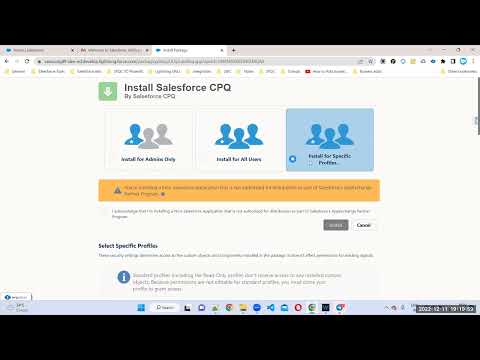
Complete Salesforce CPQ training Free videos

Salesforcestart:: We are excited to announce that our YouTube channel, Salesforcestart, is your one-stop-shop for all things Salesforce CPQ!...